4. rawTemp

rawTemp is an interactive multisensory data representation which allows its users to interact with temperature data through sound and visuals, essentially letting the users “play” the climate data. It turns the yearly average temperature in Sweden, from 1900 to 2023, into moving images and sound. Every key on a MIDI keyboard represents one year. When you hold down a key, a swarm of 5,000 particles on the screen shows how warm that year was: blue and almost still when it was cold, red and restless when it was a warm year. A sonification of the temperature also plays as you press down a key, which lets you hear whether it was a cold or a warm year. The sound and visuals were designed to work together in order to give the user a full sensory experience of a specific year’s temperature.

The core idea I wanted to explore was if it would be possible for users to “feel” the data in a more tangible way through abstract visualisations and sonifications compared to traditional visualisations such as charts and graphs. The project started as my master’s thesis in ‘Interactive Media Design’ at Södertörn University in January 2025. I was interested in finding out if it was possible to evoke emotional responses and a sense of urgency through ambiguous designs, to have the users create their own meaning and tie that to what the data is showing, that it is getting warmer. Climate data is usually shown as a line on a chart, and I wanted to find out whether the same data reaches people differently when it arrives through embodied means such as sound and movement instead. Ten people participated in the contextual inquiries, user testing combined with interviews, and many of them understood the core idea within five minutes, with minimal context and only the visuals and number of the year on the screen.

This work was selected to be presented at the conference Creativity & Cognition 2026 at UAL Central Saint Martins in London, and a corresponding paper “Multisensory climate communication: Meaning-making through interactive audiovisual atmospheres” was published in the Association for Computing Machinery digital library. Full paper is available through the link in the table or below. The initial prototype was built together with Eelis Lähteenaro in Unity. In the summer of 2026 I rebuilt the system from scratch in Swift for the conference.
Data
Sweden, annual mean temperature, 1900 to 2023
Built with
Swift, Metal, AVAudioEngine, CoreMIDI. The thesis version: Unity and C#
Collaborators
Eelis Lähteenaro on the thesis version. Sofia Lundmark, supervisor and co-author of the paper
Shown at
ACM Creativity and Cognition 2026, London
Paper
doi.org/10.1145/3803784.3816880
Code
github.com/strm0/RawTemp
Dates
Thesis: January to June 2025
ACM conference: July 2026
A visitor holds down a key, each key represents one year, and that year’s temperature value is seen in the swarm and heard through the sound at the same time.

4.1 How it works

The user chooses a year by holding its corresponding key, this triggers the animation and the sound to change at the same moment. Each year is compared to the mean temperature value of the dataset. A colder year decelerates the particles and turns them blue, a warmer year turns them red, and a year close to the reference stays white.

The temperature also changes how the swarm moves. In the warm years the particles vibrate and hold together less. The swarm pulses in rings from the centre outwards, and on the warmest years the particles start to flicker. In the coldest years, the movement slows to a standstill. By design the warmest years, from 2015 forward, are supposed to induce a sense of urgency, since the temperatures in general are much higher than anywhere else in the dataset.

The sound is made from the same dataset. It has four channels or “layers” where pitch and various effects are mapped to the values in the dataset. The cold years are calm, with a high tone that fades into reverb. As the years get warmer, the lead sound, modelled after an old Moog synthesiser, has a pitch automation that gets stronger as the temperature values get higher. This sound design was chosen because the sound starts emulating some sort of a siren, an indicator of urgency, when reaching the highest temperature values. I recorded the whole sonification sequence once and cut it into 124 samples. These are short recordings representing each year, so a key press plays its year and animation, so the sound and the image cannot drift apart.

There is nothing else on the screen but the year in the top corner and the particle swarm. An earlier version had sliders on the side of the screen, allowing users to customise their experience. But people spent their attention on them instead of on the data, so all of the menus were hidden. When the key is released, the swarm turns neutral again and the sounds stop. There is no order to follow, people can jump between decades, hold 1902 against 2020, or walk up through the century one key at a time.

A cold year

1902, the coldest year in the series. The swarm gathers into an even disc and slows to a standstill, and the sound is calm and washed out.

A warm year

2020, the warmest year. The swarm loosens and pulses in rings, the particles flicker, and the lead synthesiser starts to sound like an alarm.

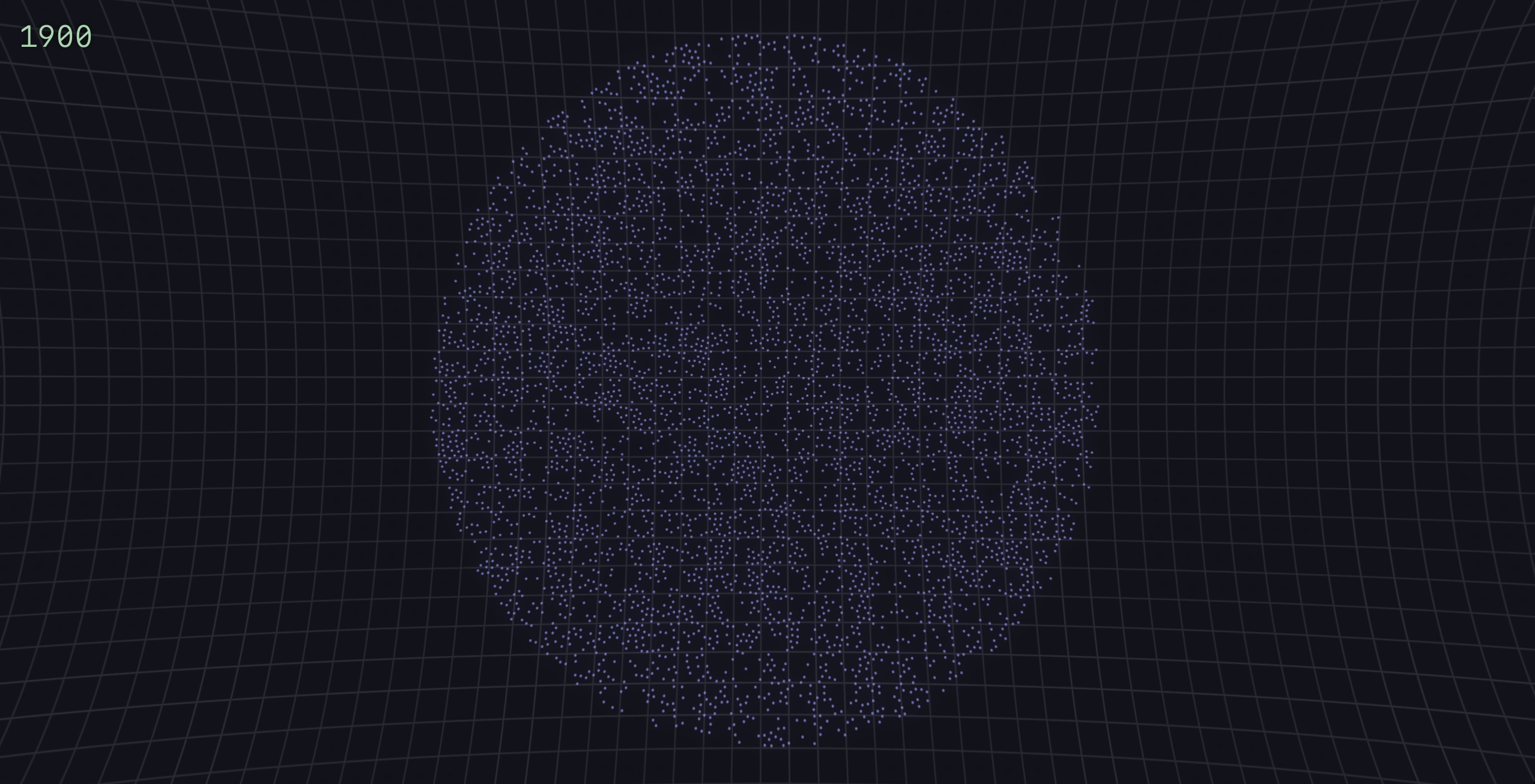
1900

The same dark screen and grid. A round swarm of small blue particles, spread evenly like a disc with no rings, and the year 1900 in the top left corner.
1900, a cold year. The swarm is blue, evenly spread and still.

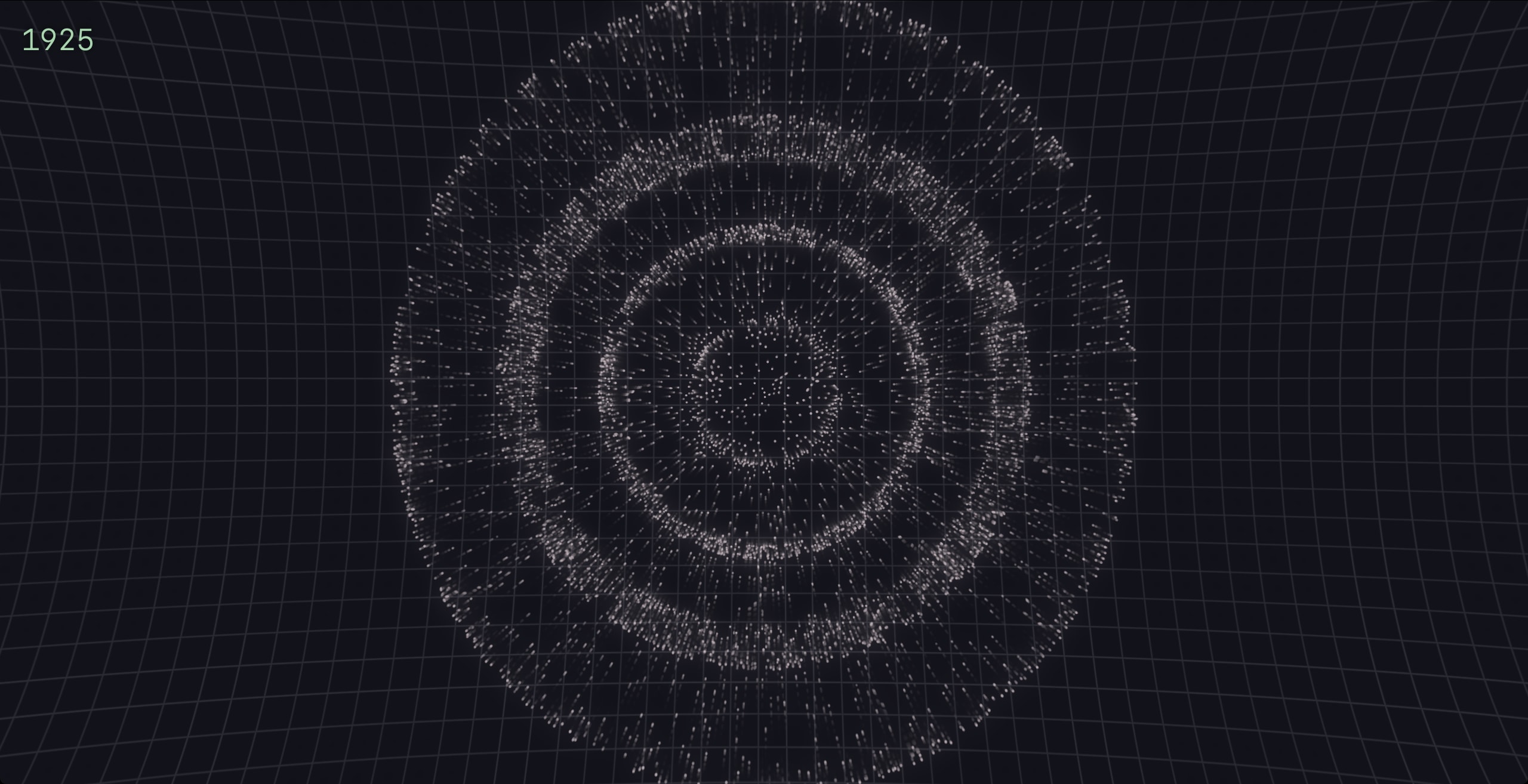
1925

The same dark screen and grid. A round swarm of white particles gathered into three clear concentric rings around a loose centre, and the year 1925 in the top left corner.
1925, just above the reference. The swarm is white, and the first rings appear.

4.2 Shown in London

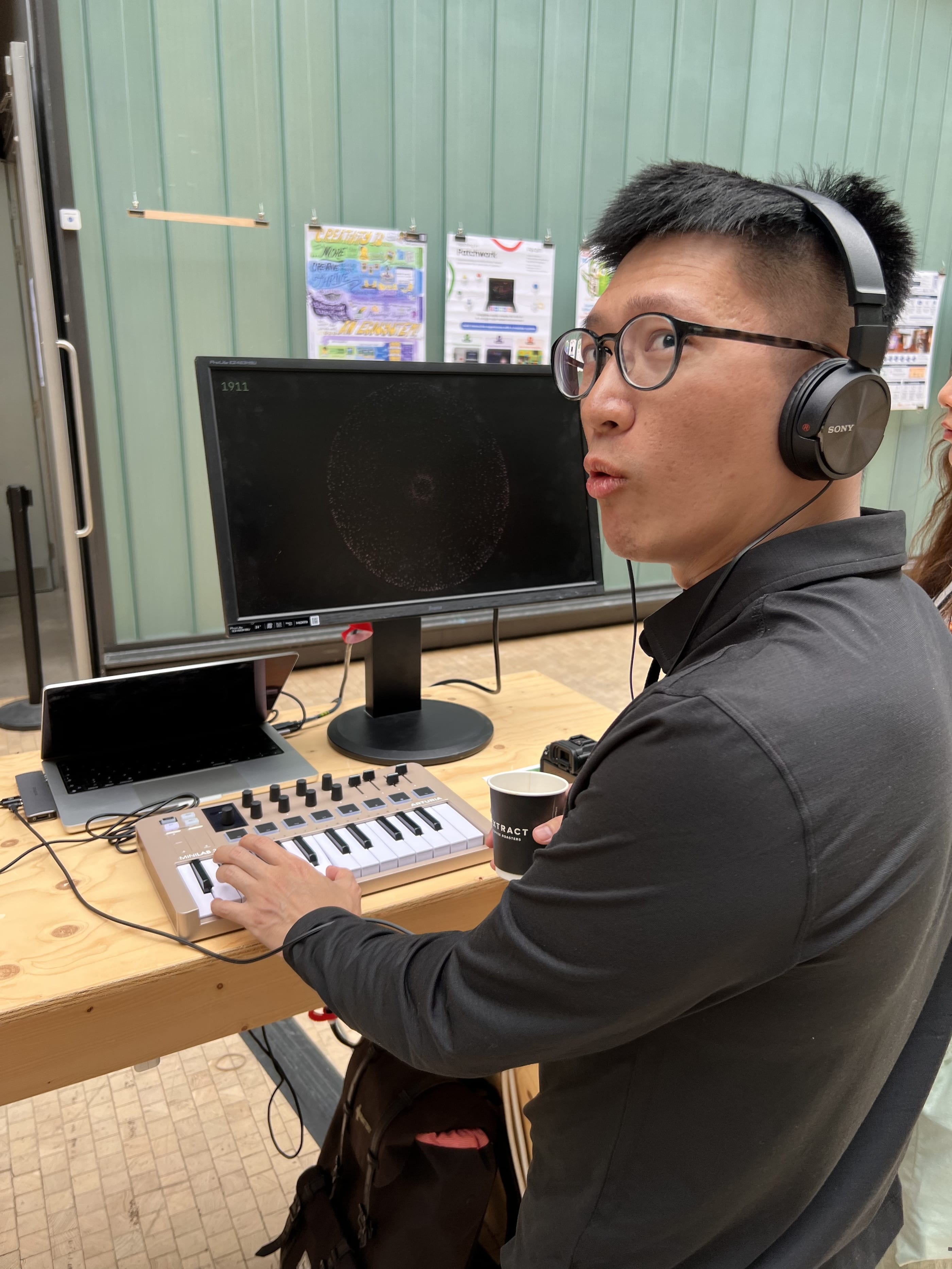
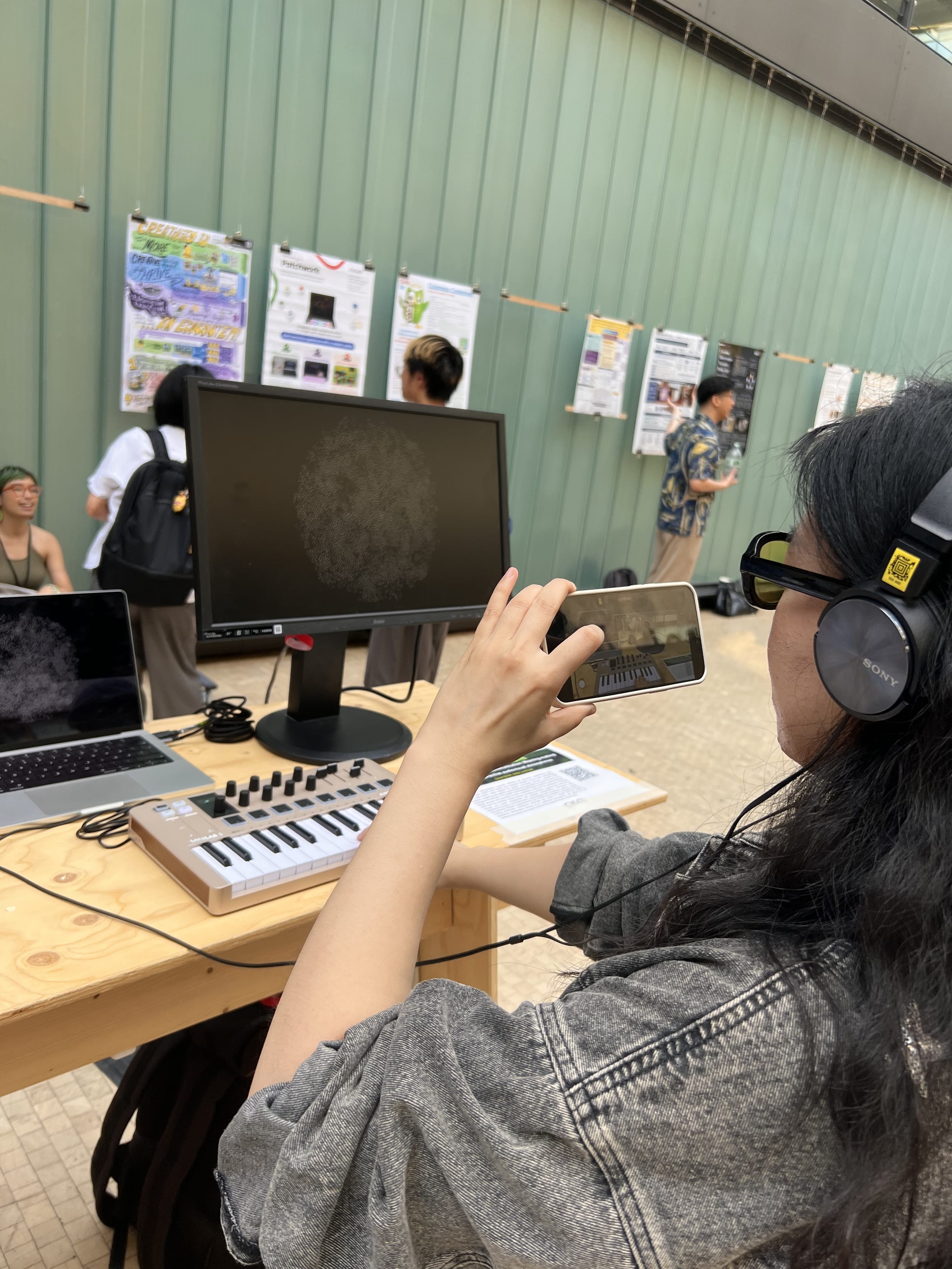
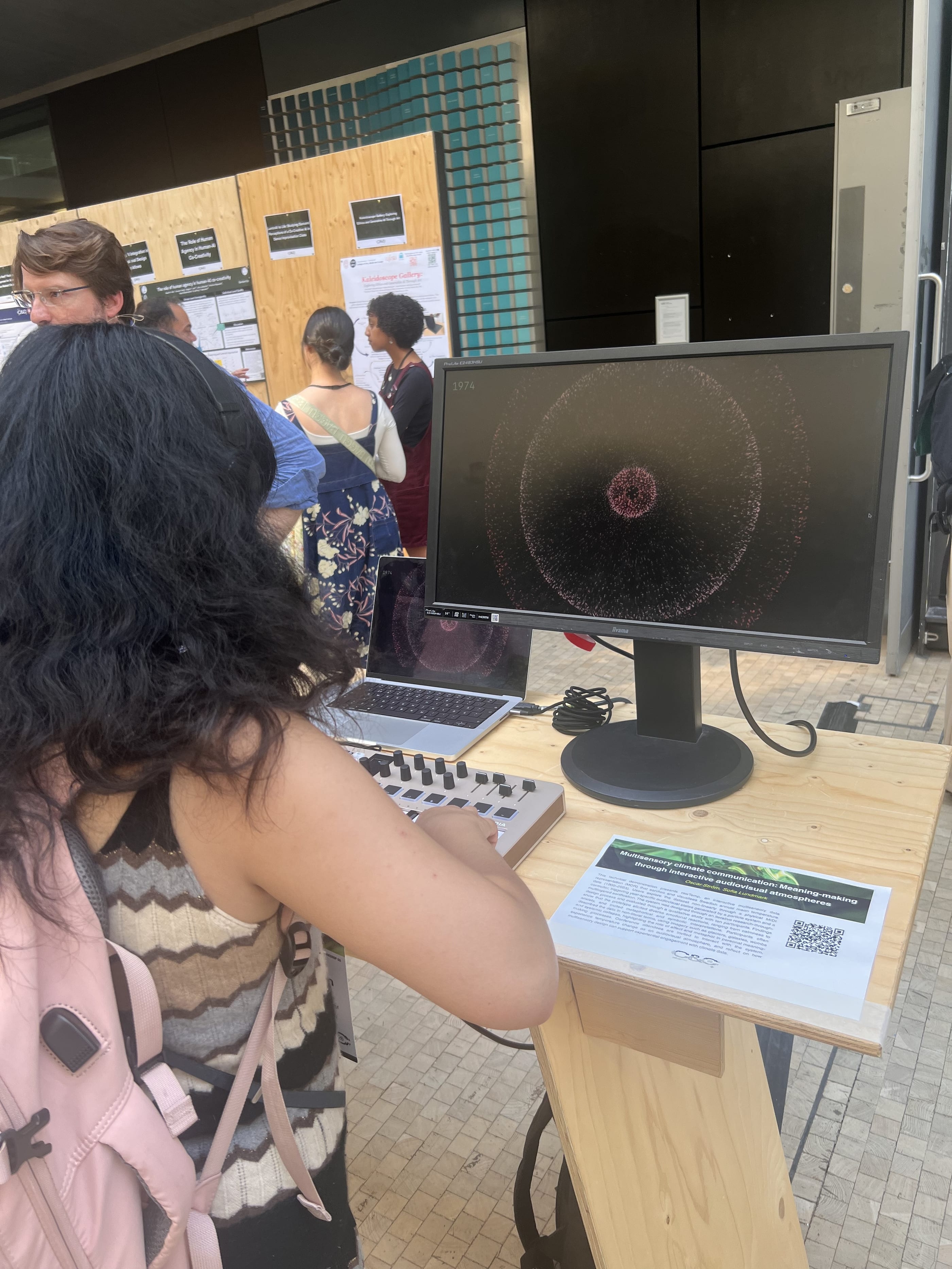
rawTemp was selected to be showcased as a demo during the ACM conference Creativity and Cognition 2026, a design technology and research conference that was held at Central Saint Martins in London in July 2026. It stood on a table with a screen, a small MIDI keyboard and a pair of headphones so that anyone who walked by could stop and experience the temperature of the last 124 years through sound and visuals.

The paper had to be handed in before the rebuild existed, so it describes the thesis version in Unity, played on a larger controller, an Ableton Push 2 with one pad for every year. By July rawTemp ran in the new Swift version, and since the Push 2 was too big to bring to London, the years moved to a smaller keyboard.

The paper is a short version of the full thesis, that focuses mostly on the build of the software, and less on the user studies that I conducted using the software, which a large chunk of the original thesis focused on. The ACM paper was written by me and edited with Sofia Lundmark, who is attributed as the second author of the paper. Since it is published under an open license, all of it can be read below, next to the poster I made during the project.

A man in glasses and large headphones sits at a plywood table with one hand on a small MIDI keyboard and a paper cup in the other, looking up and away from the screen with his mouth open as if saying something. On the monitor behind the keyboard a pale ring of particles and the year 1911. Conference posters hang on a green wall behind him.
Seen from behind her shoulder, a visitor in headphones and yellow tinted glasses holds up a phone to film the monitor, where a round white swarm fills the screen. The MIDI keyboard and a laptop stand on the plywood table, and people look at posters along the green wall in the background.
A visitor with long dark hair and a pink backpack, seen from behind, plays the MIDI keyboard in front of a monitor showing a red swarm in rings and the year 1974. On a plywood stand beside her lies a printed card with the title Multisensory climate communication and a QR code. Other conference guests talk in the background.

The paper

Page 1 of the paper. The title, Multisensory climate communication: Meaning-making through interactive audiovisual atmospheres, the authors Oscar Ström and Sofia Lundmark of the Department of Media Technology at Södertörn University, the abstract, the keywords, the ACM reference format, and the start of the introduction and the related work.
Page 2 of the paper. The end of the related work, then the system design: the visual design with a figure of rawTemp at a colder temperature, the sonic design with a figure of the neutral state, and the start of the interaction design.
Page 3 of the paper. A figure of rawTemp at a warmer temperature, the preliminary findings from ten participants, the demonstration plan, the conclusion and the first references.
Page 4 of the paper. The last six references, from Kaufmann and others 2023 to Wilke 2019.

Oscar Ström and Sofia Lundmark. 2026. Multisensory climate communication: Meaning-making through interactive audiovisual atmospheres. In Creativity and Cognition (C&C '26), July 13 to 16, 2026, London, United Kingdom. ACM, New York. 4 pages. Read it at ACM. Licensed CC BY-NC-ND 4.0 and shown unchanged.

The thesis poster

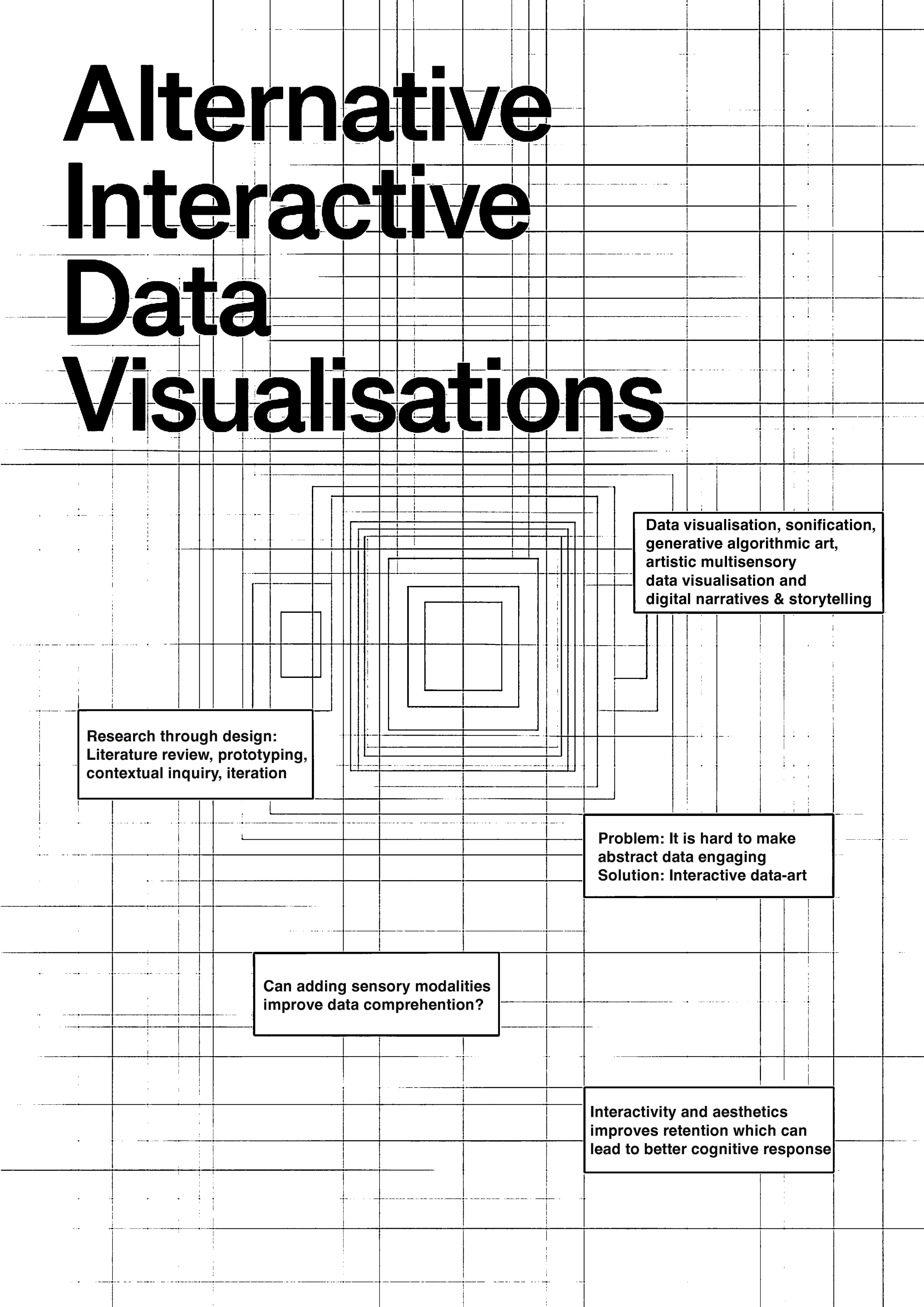
Black and white poster titled Alternative Interactive Data Visualisations, with a technical grid, nested squares and boxed callouts stating the problem, the solution, the question and the method.
Alternative Interactive Data Visualisations, the poster I made for the thesis, with the problem, the idea, the question and the method on one sheet.

4.3 Seven prototypes first

rawTemp is the eighth version of the idea. Each of the seven before it was dropped because of a specific problem, and that problem shaped the next version. The first two, AV-0.1 and AV-0.2, turned the temperatures into notes and drew a rectangle for every year while a piano played. People found them pleasant but too abstract, and when the same temperature came up twice, nothing on the screen changed.

handControlledOscillation let people choose a year by moving a hand in front of a camera, with 1900 at the left edge of the screen. With sound and at a larger size it became far too slow to use. circRender gave people sliders, controlled from the knobs of a MIDI controller. They enjoyed the sliders, and that was the problem, because the sliders took their attention away from the data.

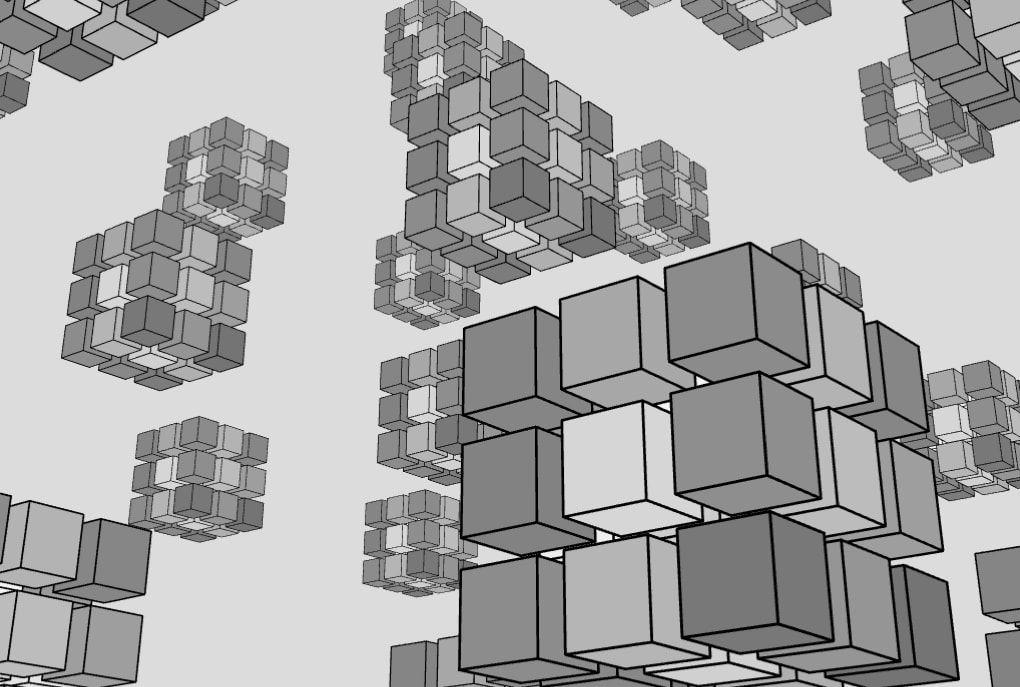
By then the sound had become the problem. Making the sound live while also steering the picture caused bugs and crashes, so FFT-3D and FFT-cubeCluster used a recording of the sound instead and turned it into blocks of cubes. The cubes were not a clear way to show a change in temperature, but for the first time the picture and the sound clearly belonged together. The idea that carried the project came from there: one sample for every year.

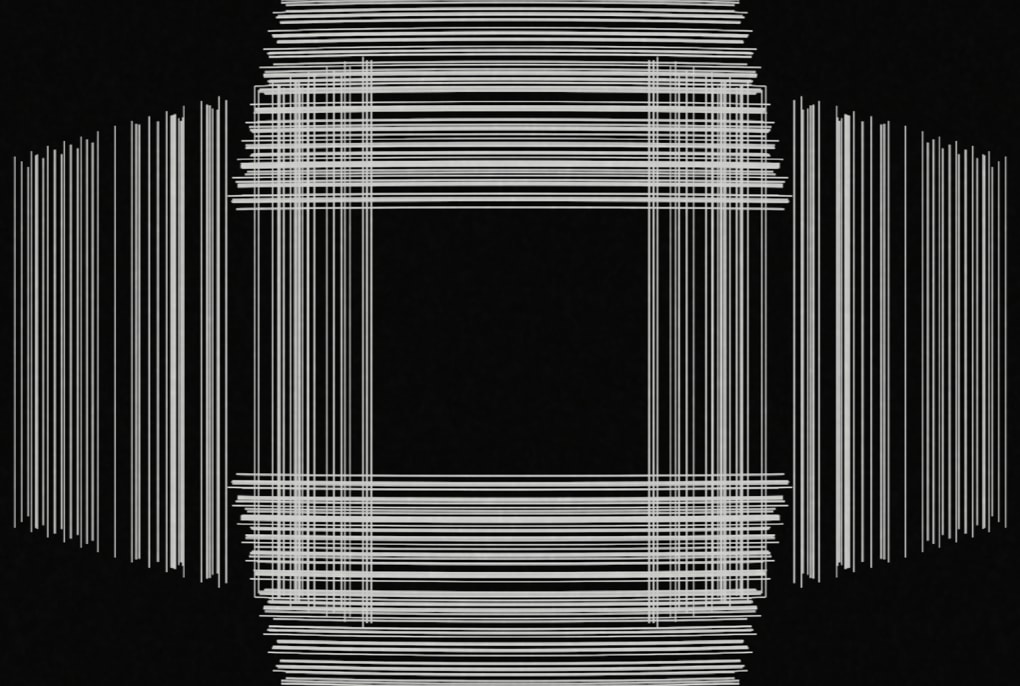
Deviation-URP was the first version in Unity, a game engine, since the earlier versions had become too heavy to run in a web browser. It drew lines that followed the daily temperatures, busy in summer and calm in winter, but it became hard to tell anything apart, so I went back to one temperature per year. The thesis version that followed was built in Unity together with Eelis Lähteenaro, with 3,500 particles played on the pads of an Ableton Push 2 and a lens effect that pulled the swarm into a circle.

Thrown away

Rectangles drawn in p5.js, a hand tracked with ml5.js, sliders on the screen and cubes made from an FFT of the sound. Each was dropped because of a specific problem.

One sample per year

Making the sound live caused bugs and crashes. The next versions used a recording instead, and from there it was a short step to one sample for every year.

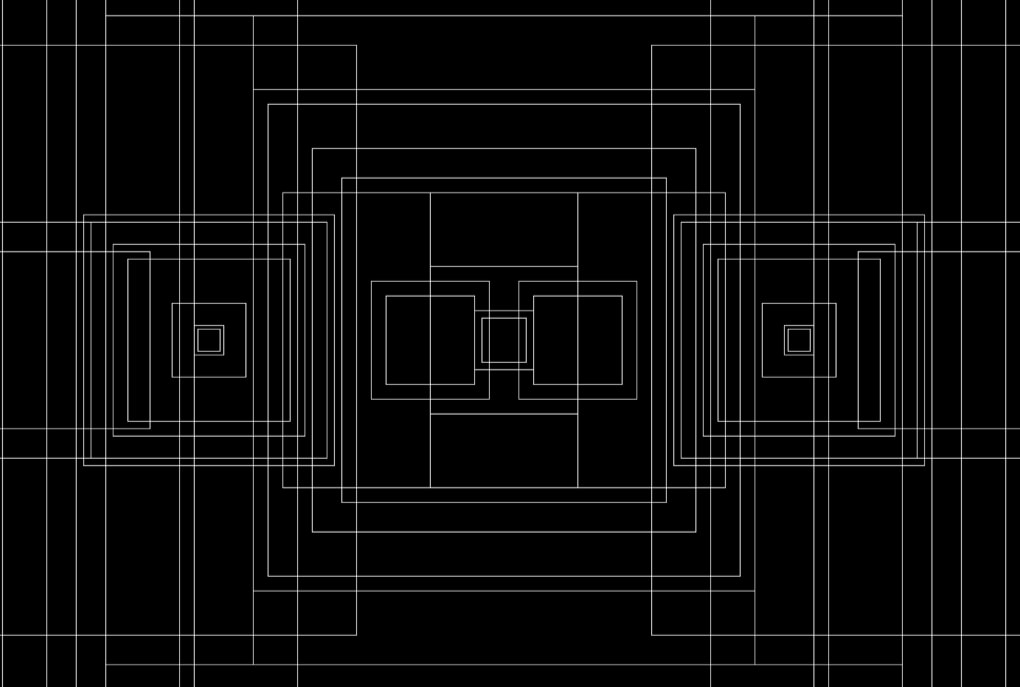
AV-0.1

A black screen covered in thin white outlines of rectangles of many sizes, nested and overlapping, arranged symmetrically around the centre.
Rectangles drawn from the sound of the temperature data. Pleasant, but too abstract.

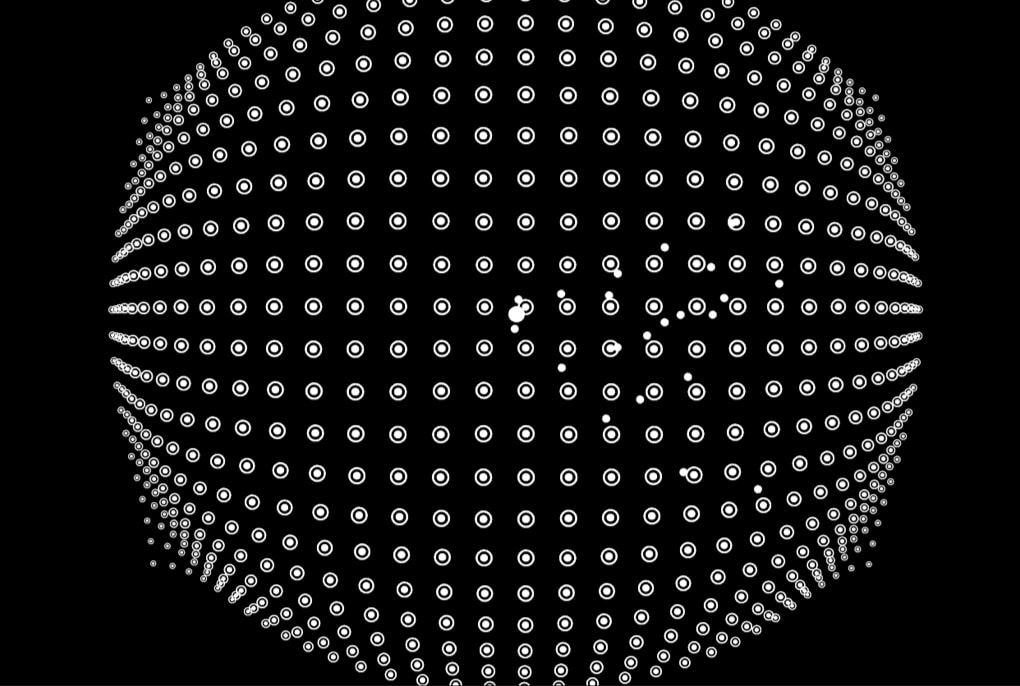
handControlledOscillation

A black screen with a grid of small white rings bulging into the shape of a sphere, and a scatter of smaller solid white dots near the middle.
A hand chooses the year, and the small dots show where the camera finds it. Dropped because it ran too slowly.

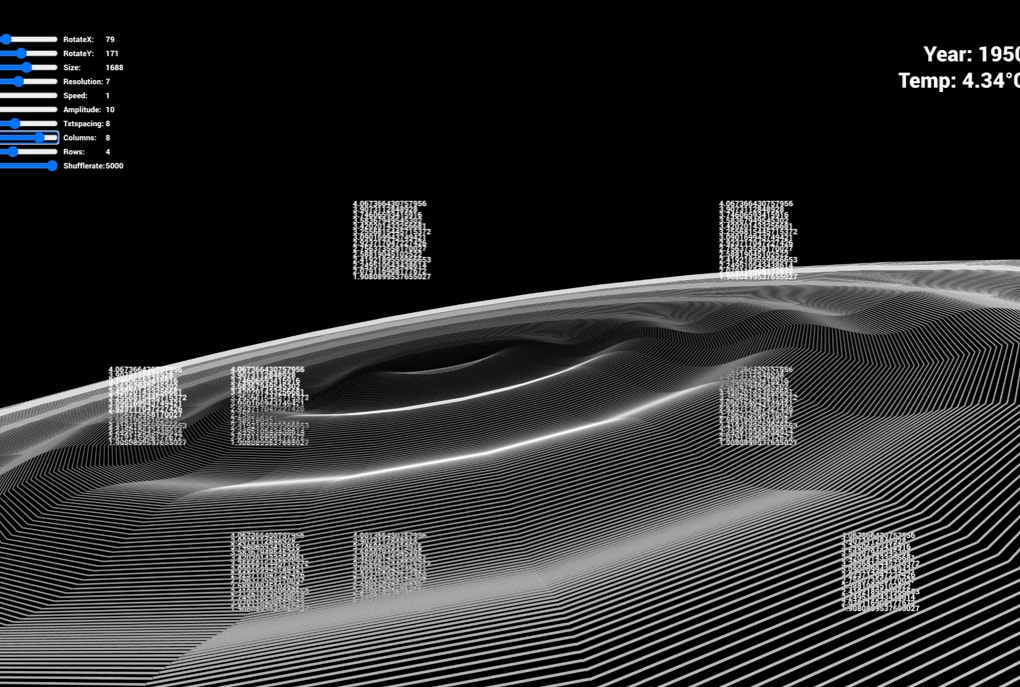
circRender

A black screen with a rolling surface drawn in fine white lines and small columns of numbers standing on it. A stack of blue sliders in the top left corner, and the year 1950 with a temperature of 4.34 degrees in the top right.
The sliders in the top left corner were the point of this one, and they took people’s attention.

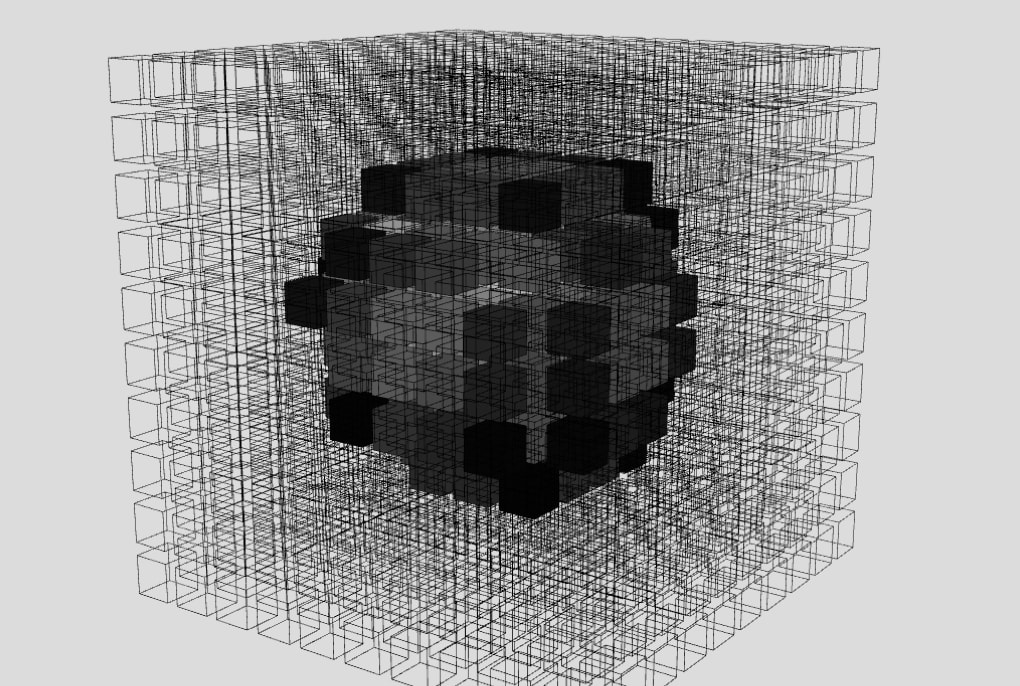
FFT-3D

A light grey screen with a large cube drawn as a fine wireframe lattice, and inside it a rough ball of solid black and dark grey cubes.
A recording of the sound, turned into a block of cubes.

FFT-cubeCluster

A light grey space with clusters of grey and white cubes floating at different distances, one large cluster close to the viewer at the lower right.
Several blocks at once, to move around in.

Deviation-URP

A black screen with bundles of thin white lines, horizontal ones stacked at the top and bottom and vertical ones at the sides, leaving a dark square in the middle.
The first version in Unity, with lines that follow the daily temperatures.

Unity version

A screen recording of the thesis version stepping through the years, with the Unity editor around it.

4.4 Rebuilt in Swift and Metal

The Unity version got the thesis done, but I needed a more stable and light version of the software for the C&C conference. So in May 2026 I started again from scratch in Swift and Metal, Apple’s own tools for building apps and drawing graphics.

In the Unity version as well as the first Swift version, the warm years were driven by random motion, and I dropped that, because random movement does not look like it means anything. Instead the warm swarm now pulses in waves from the centre outwards, and each particle grows and shrinks with the pulse, which is what gives the rings their depth.

A cold year should feel still, but when the swarm simply stopped, it looked as if the program had crashed. Now the movement slows down over about a second while the particles keep trying to flock, so they come back to life by themselves when the next key is a warmer year.

I also tried letting the colours fade from one year into the next, and took it out again, because a key press has to show its year at once. The grid and the swarm are drawn as two separate layers, each with its own lens effect, since with one lens for both, either the grid bent too much or the swarm went flat.

A stop reads as a crash

When the swarm simply stopped on a cold year, it looked as if the program had crashed. Slowing it down over about a second makes it feel cold instead.

Two layers

The grid and the swarm are drawn separately, each with its own lens effect, and then laid on top of each other.

The control panel

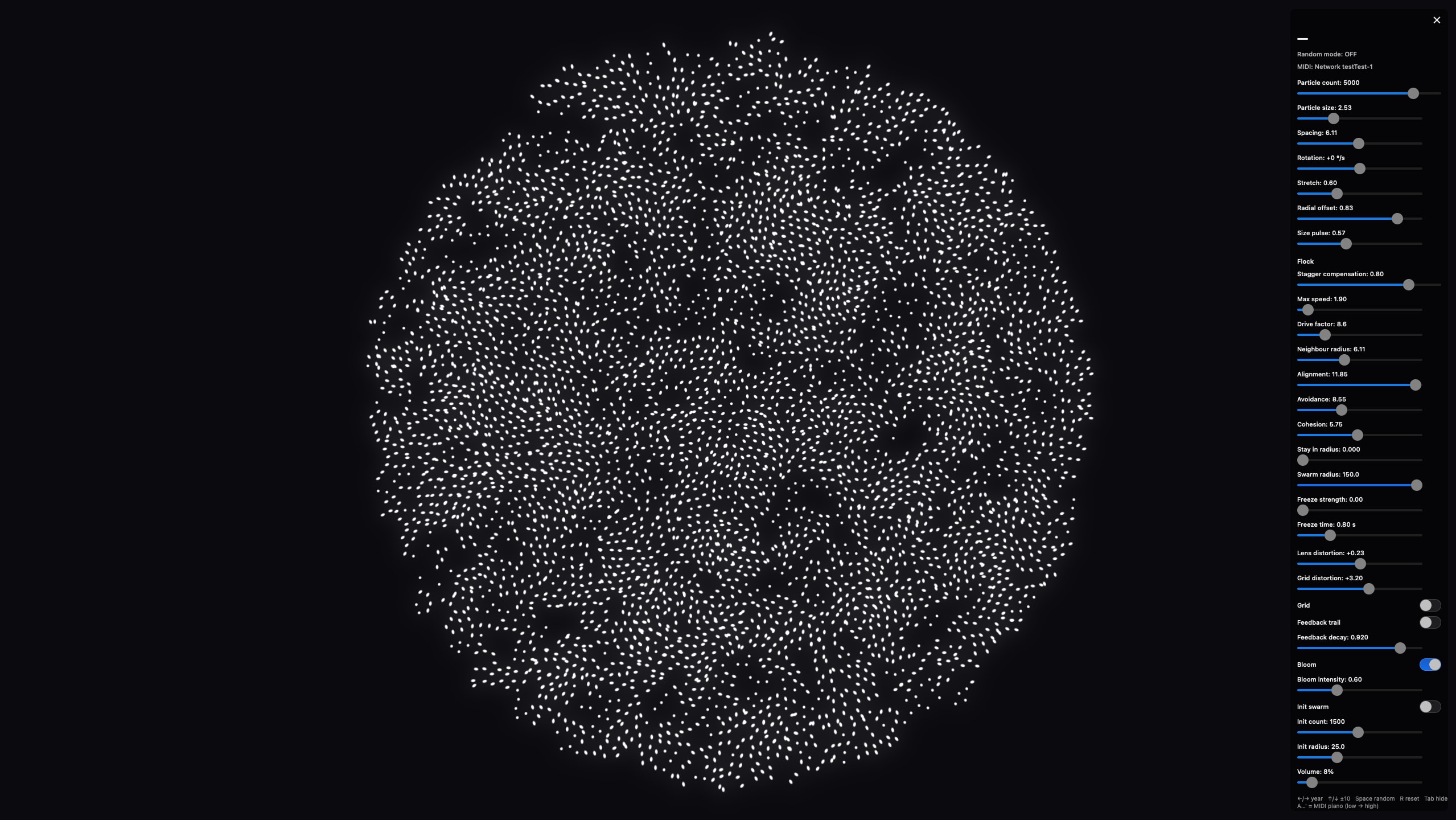
The Swift build showing a dense round swarm of white particles on a black screen, with the whole control panel open down the right edge. It lists random mode and the MIDI connection, then labelled sliders for the particles, the flock, the freeze, the lens and grid, the bloom, the starting swarm and the volume, with switches for the grid, the feedback trail, the bloom and the starting swarm, and the keyboard shortcuts at the bottom.
The control panel lets me tune the swarm while it runs, from the number of particles to the strength of the pulse. It folds away behind one small mark, so that in front of an audience only the year and the swarm are on the screen.

4.5 Credits

Concept, design, research and the Swift version: Oscar Ström. Master's thesis in Media Technology, Södertörn University, January to June 2025: Interactive Multisensory Data Representations: An Exploration of Affective and Interpretative Reactions to Audiovisual Climate Data.

The thesis version, in Unity: made with Eelis Lähteenaro, who greatly assisted in conceptualising and building it.

Supervisor and second author of the paper: Sofia Lundmark, Senior Lecturer in Media Technology, Södertörn University.

The photographs from London were taken on 14 July 2026.